
Apex Triggers vs. Flows in 2026: Which Should You Use?
Apex Triggers vs. Flows in 2026: Which Should You Use?
Salesforce automation has changed significantly over the years. With Flow now handling much of the automation work that once required Workflow Rules and Process Builder, many Salesforce teams are asking a new question:
Should we use Flow or Apex for this automation?
The answer is not simply "Flow for everything."
Both tools have a place. The right choice depends on the complexity of the process, the volume of records being handled, and how many other automations or systems are involved.
When Flow Is the Better Choice
Flow is usually a strong starting point when the automation can be built using Salesforce's declarative tools.
For example, Flow works well for:
Updating records.
Creating related records.
Sending notifications.
Automating straightforward business processes.
Building guided experiences for users.
Flow also allows Admins to build and maintain automation without writing Apex code.
For many standard business requirements, starting with Flow can reduce development effort and make future changes easier to manage.
When Apex May Be the Better Choice
Some requirements go beyond what Flow can handle efficiently.
Apex can be a better option when you need:
Complex business logic.
Advanced validation across multiple objects.
Custom transactional logic.
Complex integrations.
Processing that requires more control than Flow provides.
Salesforce's Apex documentation identifies complex business processes, complex validation across multiple objects, and custom transactional logic as situations where Apex can be appropriate. For a broader framework on choosing between Flow and Apex, see Salesforce's [Record-Triggered Automation: Apex or Flow] guide.
Apex can also be used alongside Flow. Salesforce supports calling Apex actions from Flow when additional functionality is needed.
Don't Ignore Automation Density
One of the biggest considerations in 2026 is not simply whether an automation uses Flow or Apex.
It's how much automation is already running around the object.
As automation density increases, managing these components during deployments and data operations can also become more difficult. Our guide on [Bulk Disable Salesforce Triggers, Flows & Validation Rules] explains how teams can approach this more systematically.
Salesforce's updated guidance looks at three areas:
Automation quantity: How many automations run when a record changes?
Record volume: How many records are being processed?
Dependency sprawl: How many other records, objects, or automations are affected?
As these factors increase, automation becomes more complex and requires more careful design.
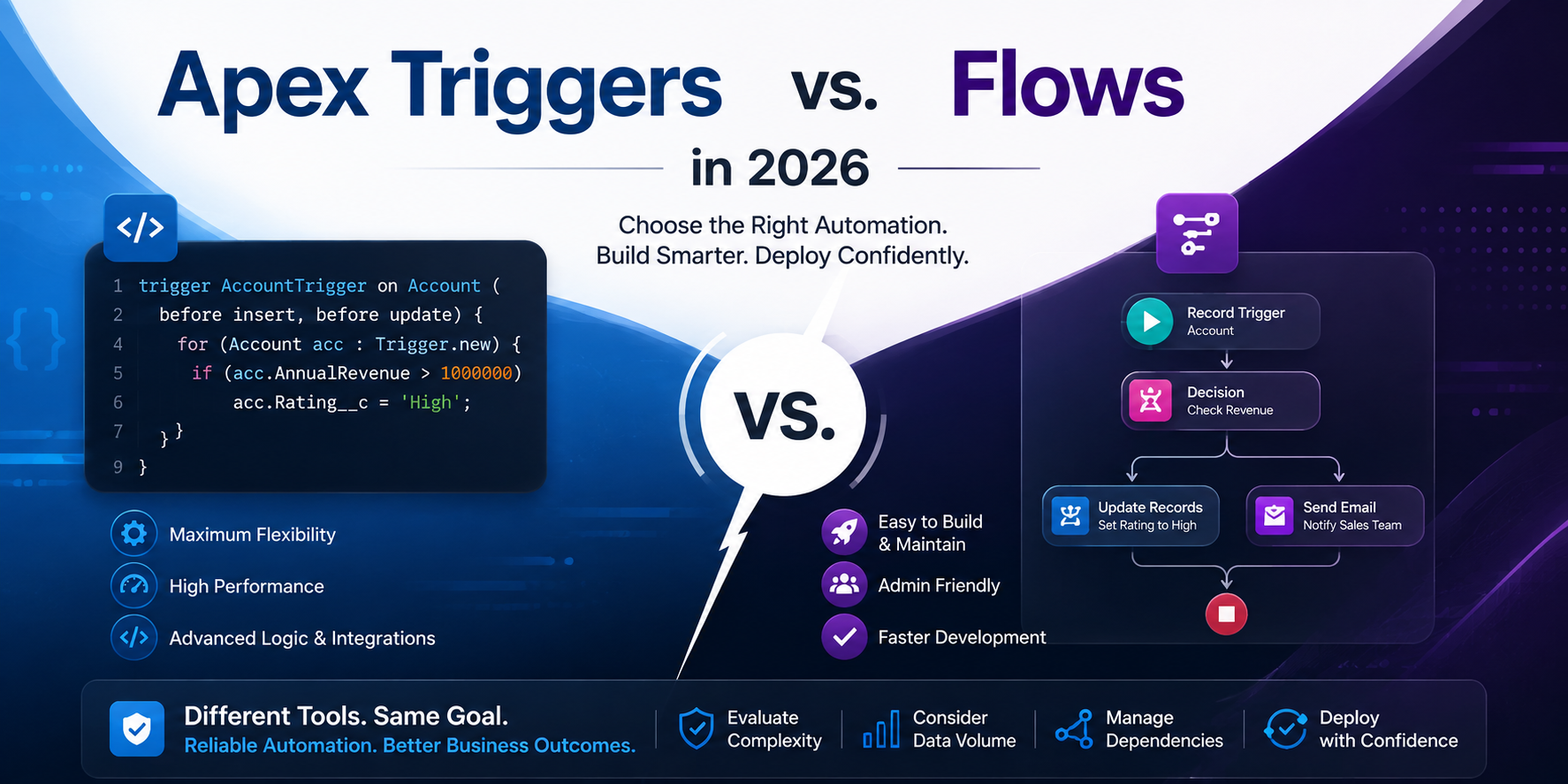
Flow vs. Apex: A Simple Guide
Situation Consider
Simple record updates Flow
Notifications and straightforward processes Flow
Guided user processes Flow
Complex business logic Apex
Advanced transactional requirements Apex
Complex integrations Apex or Flow + Apex
High automation density Evaluate carefully
The goal shouldn't be to choose one tool and use it everywhere.
The goal is to choose the simplest solution that can reliably handle the requirement.
Don't Forget Deployment Management
Choosing between Flow and Apex is only part of the automation strategy.
As your Salesforce org grows, you may have dozens or even hundreds of automations interacting with your data.
During deployments, testing, and data migrations, these automations can create unexpected behavior if they are not properly managed.
This is particularly important during large data loads, where record-triggered Flows can respond to imported records. Learn more in our guide on [Safely Deactivating a Salesforce Flow Before a Data Load].
When teams manage large numbers of automations manually, even simple tasks such as finding and disabling the right component can take valuable time. See [The Hidden Cost of Hunting Through Salesforce Setup] to understand how this can affect deployment efficiency.
That makes automation management just as important as automation design.
Final Thoughts
In 2026, the question isn't simply "Flow or Apex?"
It's:
"What does this automation need to do, and which approach can handle it reliably without adding unnecessary complexity?"
Use Flow where it makes sense. Use Apex when the requirements demand it. And as your automation landscape grows, make sure you have a reliable way to manage those automations during deployments and data operations.
PausePlay helps Salesforce teams control Flows, Apex Triggers, and Validation Rules before, during, and after deployments, so teams can spend less time managing automation and more time delivering changes with confidence.
Frequently Asked Questions
Is Flow replacing Apex?
No. Flow is the preferred declarative automation tool for many use cases, but Apex remains important for complex logic, custom functionality, and advanced requirements.
Should I always use Flow instead of Apex?
No. The right choice depends on complexity, record volume, dependencies, and technical requirements.
Can Flow and Apex work together?
Yes. Salesforce supports using Apex actions within Flow, allowing teams to combine declarative automation with custom code when necessary.
Explore More
Related Posts

Salesforce Order of Execution Explained (2026)
Learn the Salesforce Order of Execution, how Flows and Apex Triggers interact, and how to troubleshoot automation issues during data changes.
I forgot to Turn it Back On: Salesforce Automation
Forgot to reactivate a Salesforce Flow, Trigger, or Validation Rule after a deployment? Learn how to track automation states and restore them safely.
PausePlay 0.22.0-2 Release Notes: Meliv AI
Discover what's new in PausePlay 0.22.0-2: Meliv AI, multi-object Salesforce automation analysis, risk recommendations, and guided configuration creation.